WP Error Trace
See WordPress errors directly inside wp-admin.
No FTP. No hosting panel.
What it does
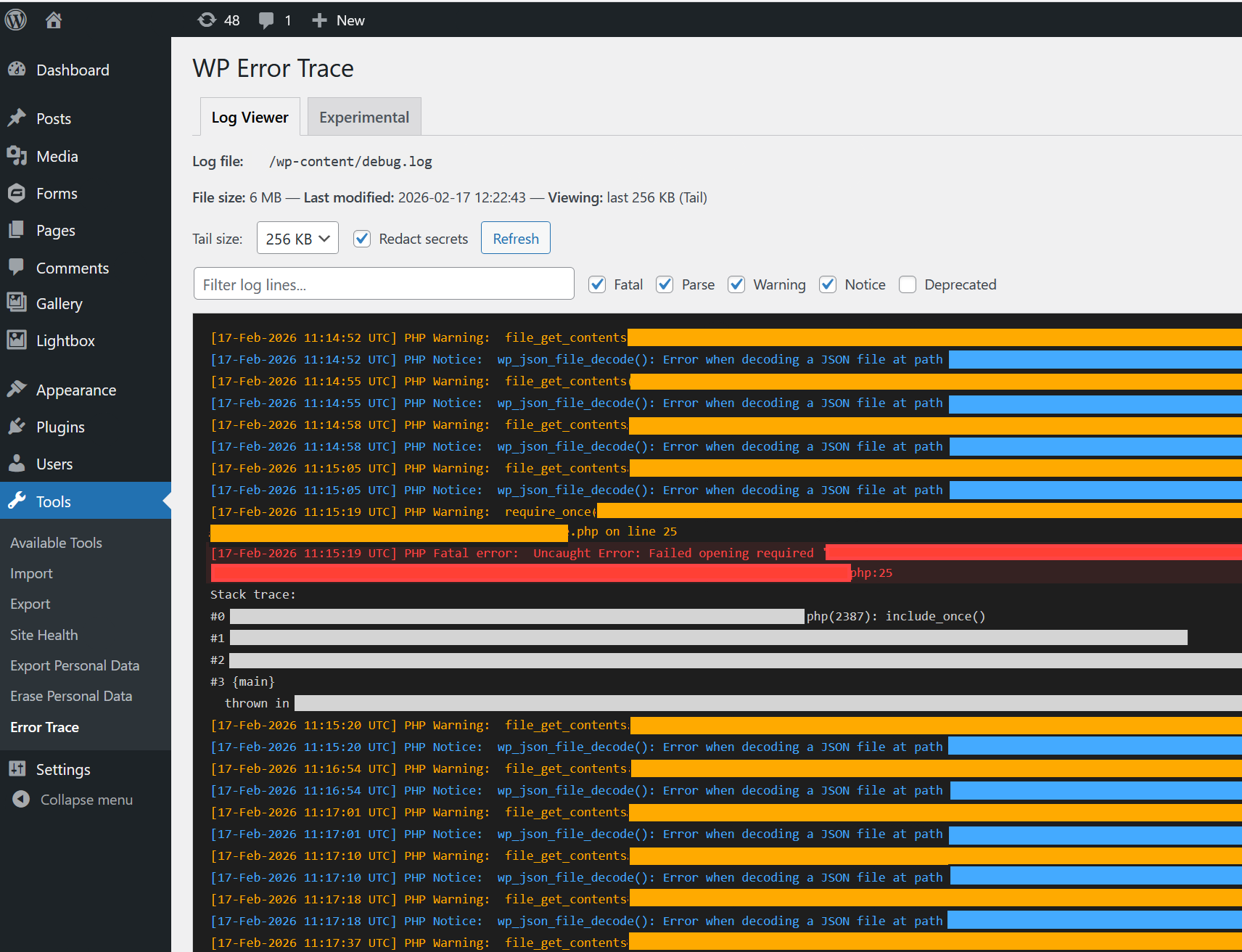
WP Error Trace allows you to view debug.log directly inside your wp-admin panel.
If your site is throwing errors and you don't know why, this helps you find out.
It shows the latest entries from your log file in a readable format, with filtering and download options.
What you can do
View recent errors
Large log files are limited in the browser view to keep the page stable. You can still download the full file.
Highlight error types
Fatal errors, warnings, notices, and deprecated messages are clearly marked.
Search and filter
Filter by error type or by time range. See how many lines are currently shown.
Error summary bar
Quick counts for Fatal, Warning, Notice, and Deprecated.
Collapse stack traces
Expand or collapse grouped stack traces to reduce clutter.
Download logs
Download the visible portion or the full file.
Optional redaction
Hide tokens and sensitive values before sharing logs.
How it works
WP Error Trace reads the log file defined by WordPress:
- If
WP_DEBUG_LOGis set, it uses that path - Otherwise it reads
wp-content/debug.log
The viewer loads only a limited portion of the file in the browser. Full files are downloaded directly.
No external services are used.
Frequently Asked Questions
Where does it read logs from?
It uses WP_DEBUG_LOG if defined. Otherwise it reads wp-content/debug.log.
Can it enable debugging for me?
Yes. You can enable WP_DEBUG and WP_DEBUG_LOG from the plugin.
You can also set a timer to disable debugging automatically.
Does it modify my files?
Only if you choose to enable debug settings from the plugin. Changes are limited and clearly marked.
Will it slow down my site?
No. Only a limited portion of the log file is loaded in the viewer.
What about WooCommerce logs?
WooCommerce logs are already available in the WooCommerce menu. WP Error Trace focuses on the WordPress debug log.
Who can access it?
Administrators on single-site installs. Super admins on multisite.
What happens on uninstall?
Plugin options and scheduled tasks are removed.